 |
| (Clogged Fan and Bad Thermal Paste) |
Most PC Owners Neglect the simple things such as cleaning out the air vents and end up with over heating components such as the Power Supply, Motherboard, RAM, Processors, and other components on board.
Let me share with you a picture of a unit that I recently cleaned the fans of dust and debris. Common housekeeping on a computer especially one that is constantly on is to practice cleaning out the fans before the get as bad as the one displayed to the left. Using a can of canned air or sometime dismantling an overheating computer for those mechanically inclined to make those decisions would find this easy.
 |
| ( Computer Was Extremely Hot ) |
Also reapplying thermal paste to the processor on most gaming laptops and computers is recommended for those hardcore gamer there are a list of thermal compounds such as Artic Silver as well as a guide
Click Here to View 12 Step Guide on Reapplying Thermal Paste
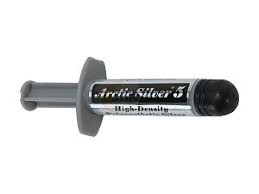 |
| (Thermal Paste Artic Silver) |
Those that smoke cigarettes are also advise to practice these heavily to increase PC life and performance. Also check out a more in further depth of the damages and issues most PC Owners face when neglecting the proper maintenance practices of their computers can be found
here. Also Recommendations on full specifications from computer manufactures should be researched by PC owner to see how much expansion can be performed on hardware components such as RAM, Processors, Hard Drive Storage, Graphics Cards, another great website that can help you with simple upgrades is
Crucial.com in which it has the auto detect feature in which it will give you a list of possible upgrades on your computer.


No comments:
Post a Comment